
SMS Consent Flow
How AutoReview verifies end-user consent before sending review request text messages.
Overview
AutoReview sends SMS review request messages on behalf of businesses to their existing customers. End users give verbal consent at the point of service to the business they are a customer of. The business then records that consent in AutoReview before any message can be sent, using the dashboard flow documented below.
How consent is recorded
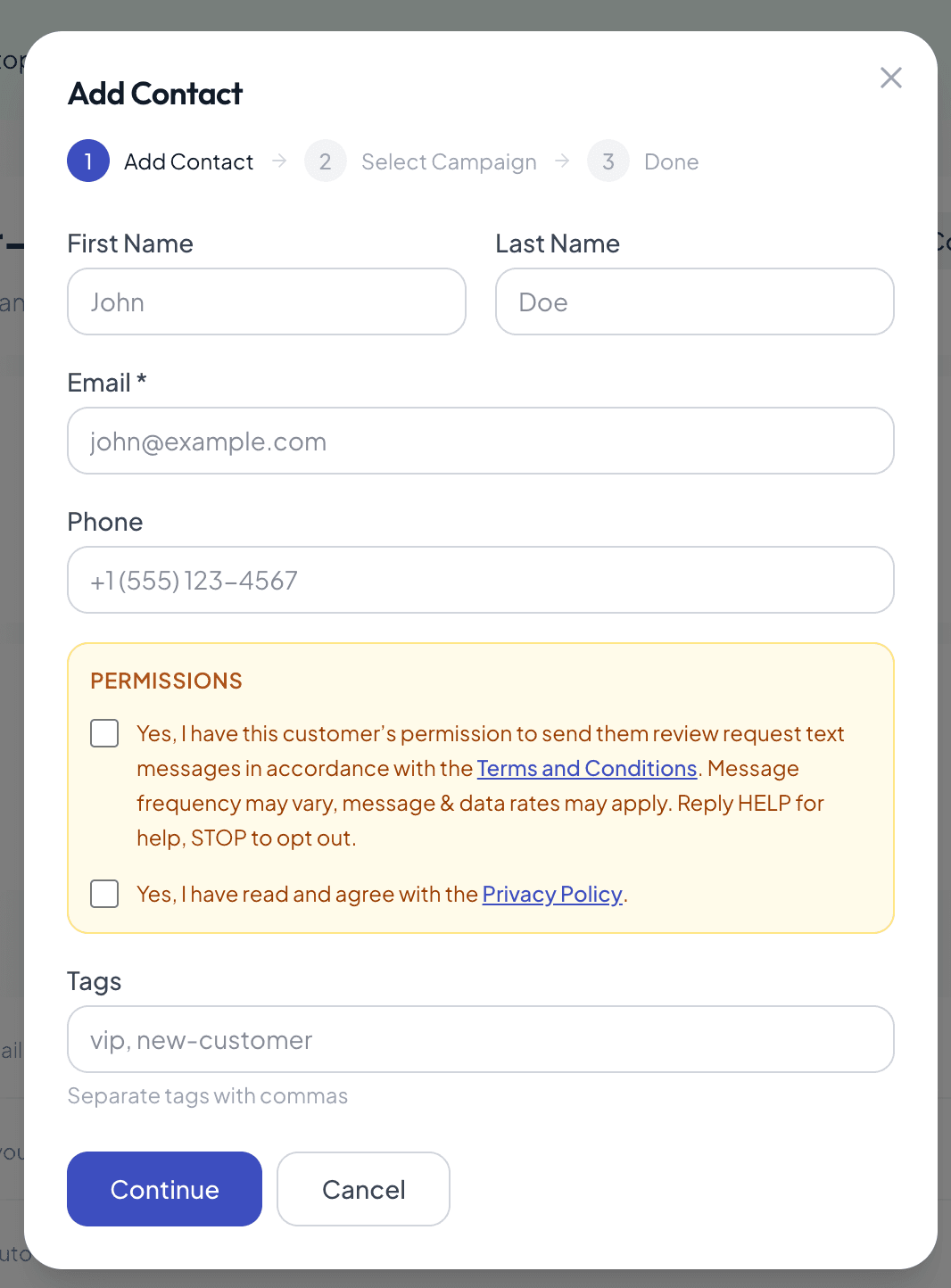
When a business owner adds a customer via the AutoReview dashboard and enters a phone number, two mandatory consent checkboxes must be checked before the contact can be saved. Both are unchecked by default.
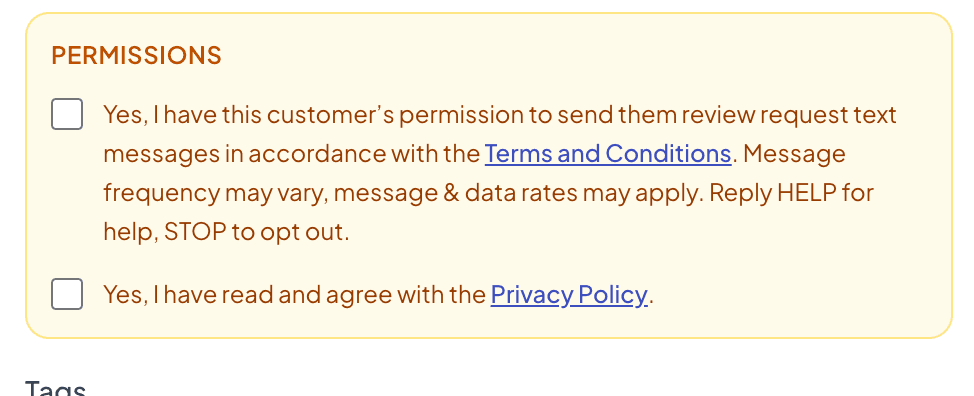
The first checkbox states: “Yes, I have this customer’s permission to send them review request text messages in accordance with the Terms and Conditions. Message frequency may vary, message & data rates may apply. Reply HELP for help, STOP to opt out.”
The second checkbox states: “Yes, I have read and agree with the Privacy Policy.” Both checkboxes link to the respective pages.
A close-up of the two consent checkboxes. A phone number cannot be saved unless the business owner actively checks both:
Opt-In Confirmation Message
Upon receiving their first SMS message, customers receive the following opt-in confirmation:
Opt-Out
Customers can opt out at any time by replying STOP to any message. Once opted out, no further SMS messages will be sent to that number. Customers can re-subscribe by replying START.
Help
Customers can reply HELP to any message for support information.
Message Frequency
Message frequency may vary. No recurring promotional messages are sent. Message and data rates may apply.
Privacy & Terms
Opt-in data and consent are not shared with any third parties. For full details, see our Privacy Policy and Terms and Conditions.